
Occasionally, the data transfer from your motorcycle to the cloud and then to the app on your phone can be slowed down by having multiple tracked rides stored on your motorcycle. The process of deleting tracked rides may help alleviate this issue. The following steps show how to delete tracked rides from the display on your Indian Motorcycle, both on the 7" Display powered by RIDE COMMAND and on the 4-inch Digital Round Display powered by RIDE COMMAND.
4" Round Digital Display powered by RIDE COMMAND
Note: Photos were taken on a 2025 Indian Scout Bobber.
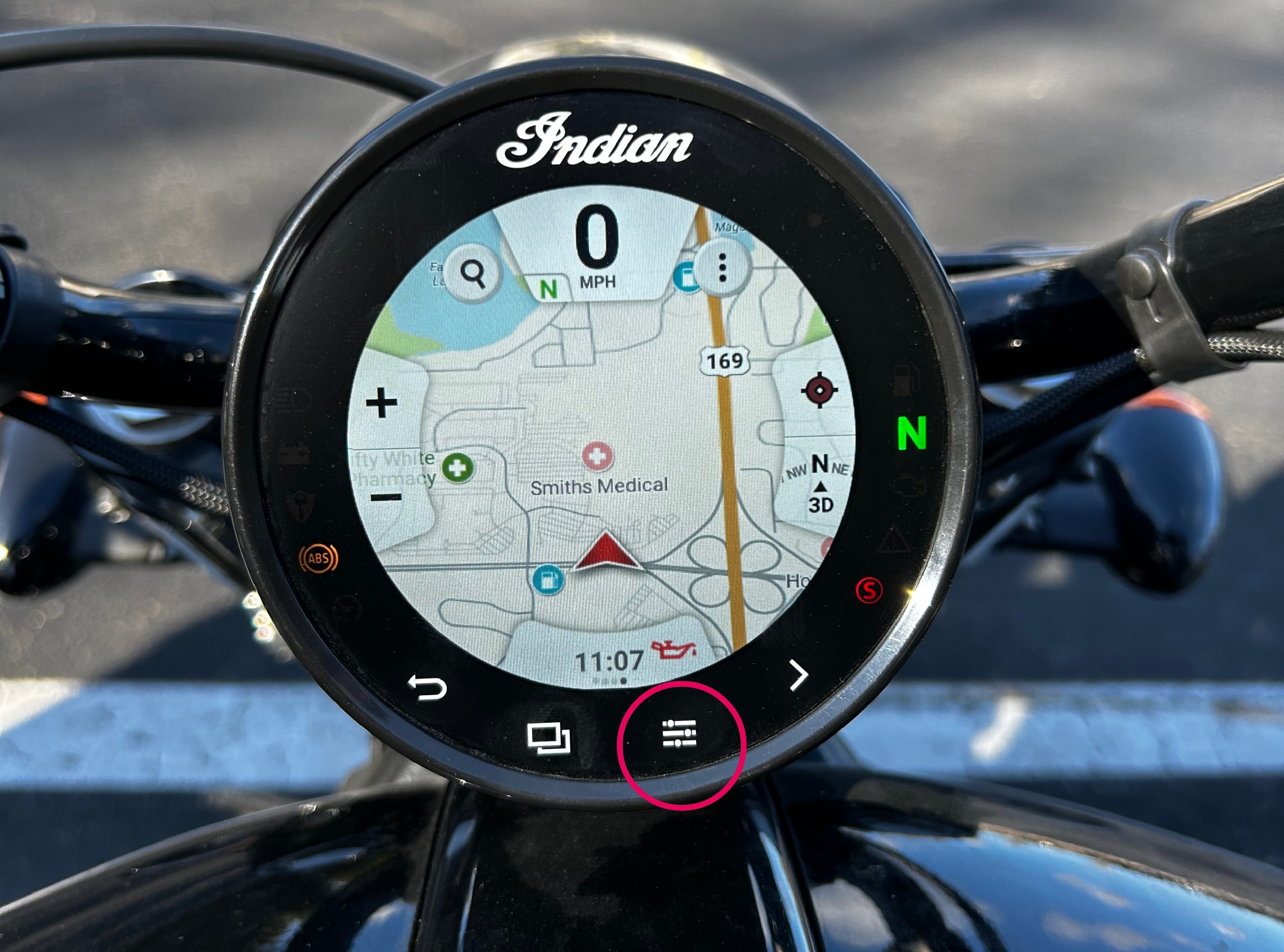
Navigate to the map screen on your motorcycle's display and tap on the icon with three lines to navigate to the menu.
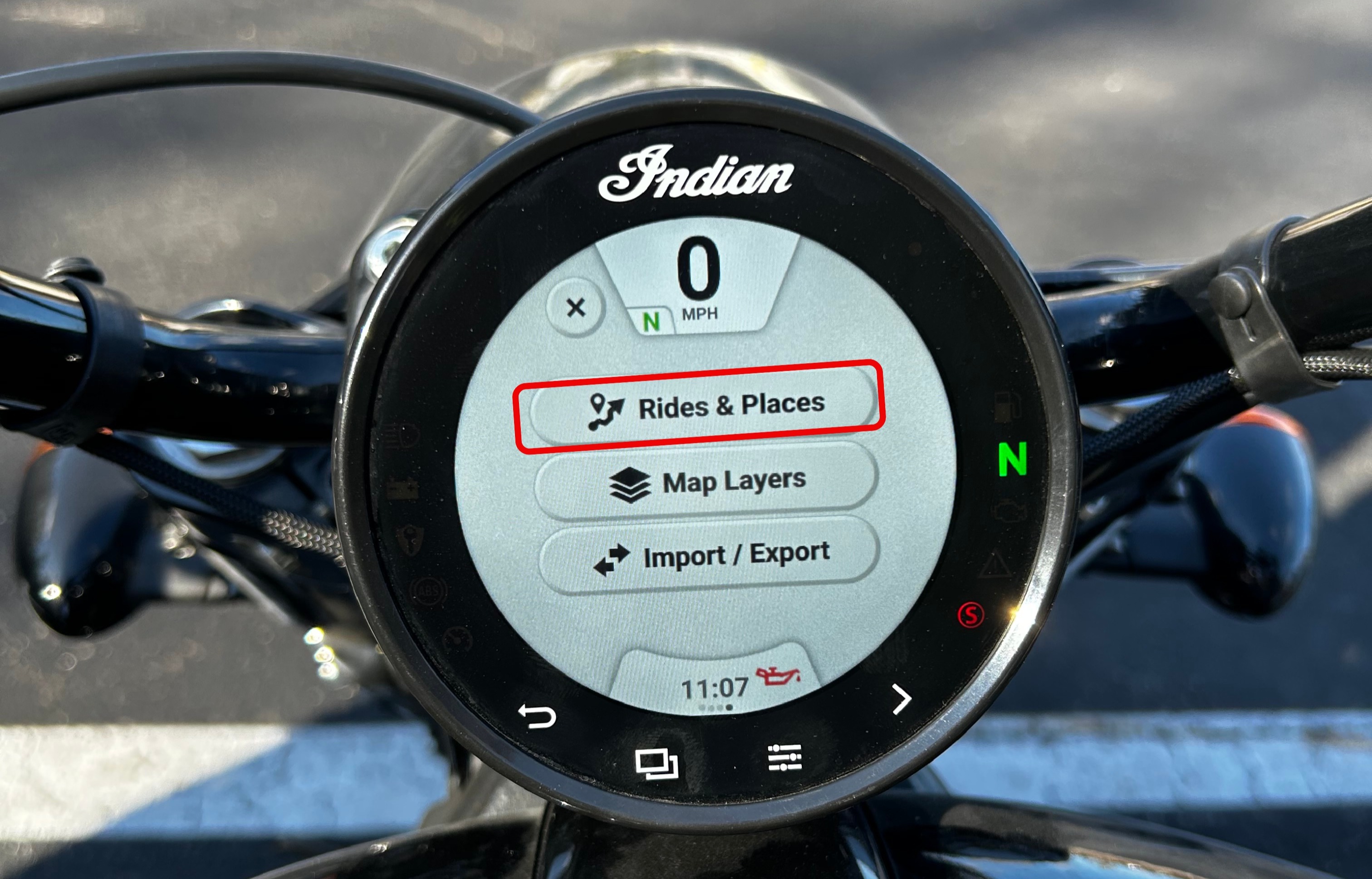
After tapping on this, the menu options will show up on the display. Tap the top option, "Rides & Places".
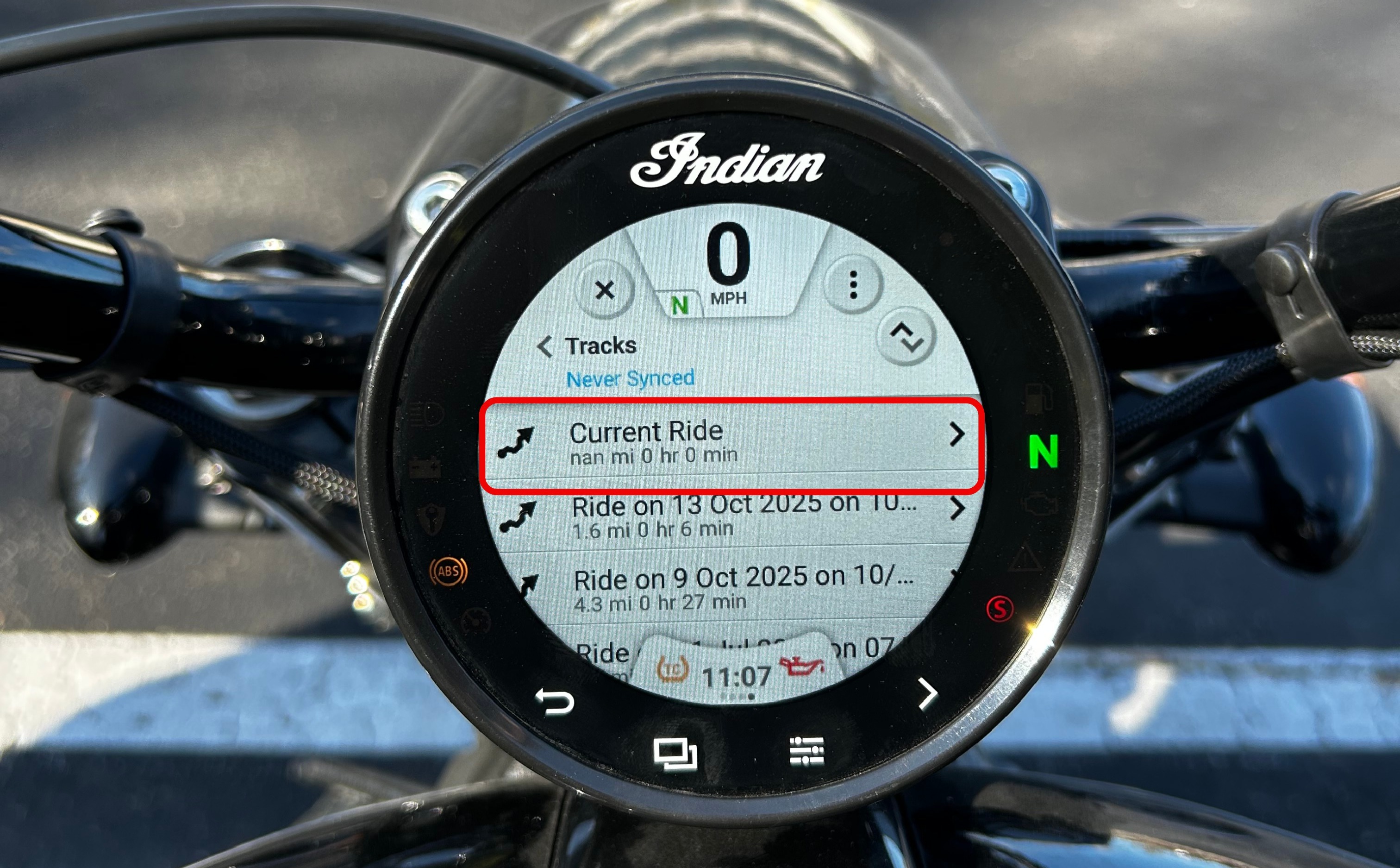
This will pull up a list of the tracked rides stored on your motorcycle’s display. Tap the arrow > on the right side of the tracked ride you wish to delete.
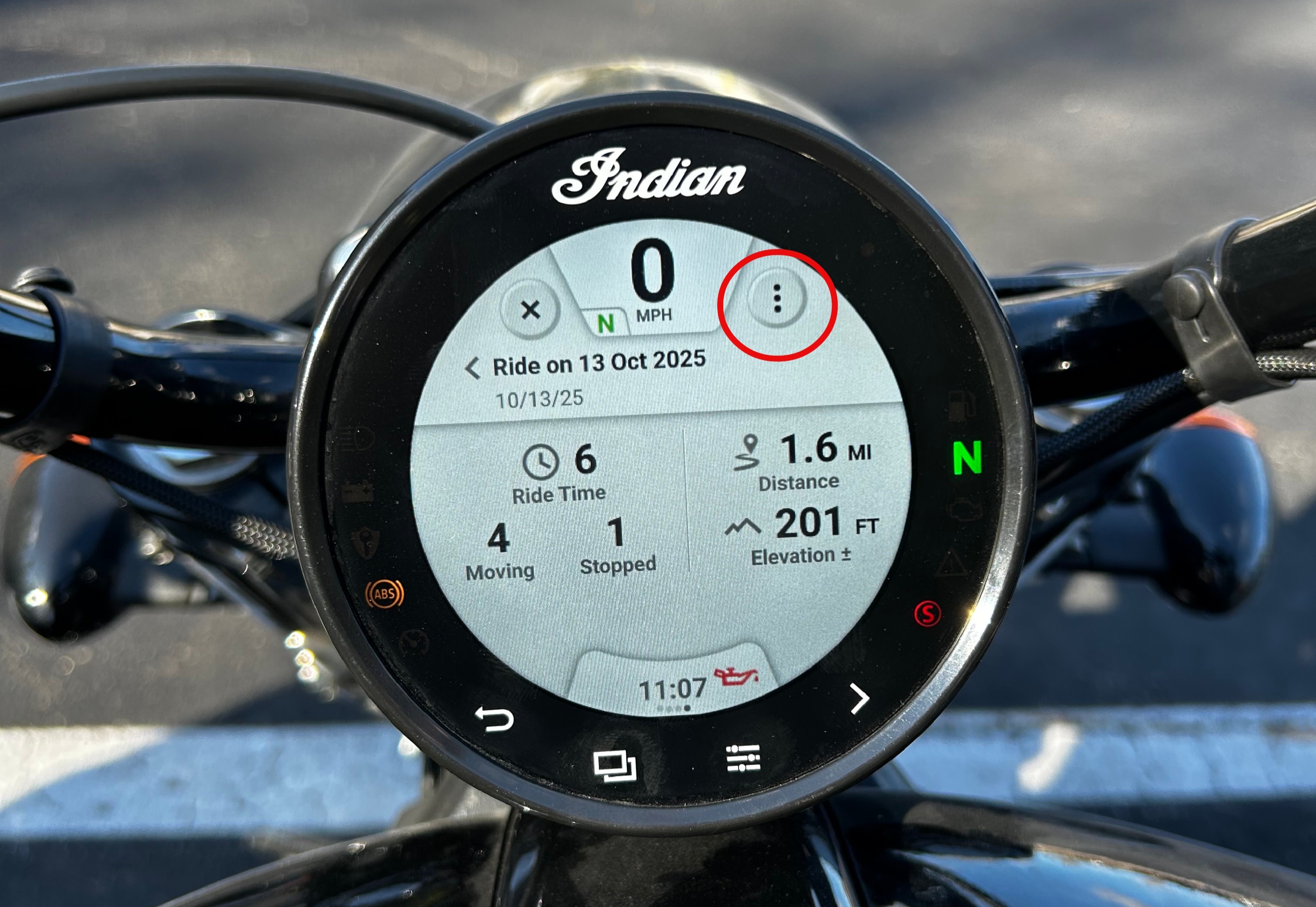
This will bring up the details of the tracked ride. Tap the three dots icon in the upper right corner. This will allow you to edit or delete the tracked ride.
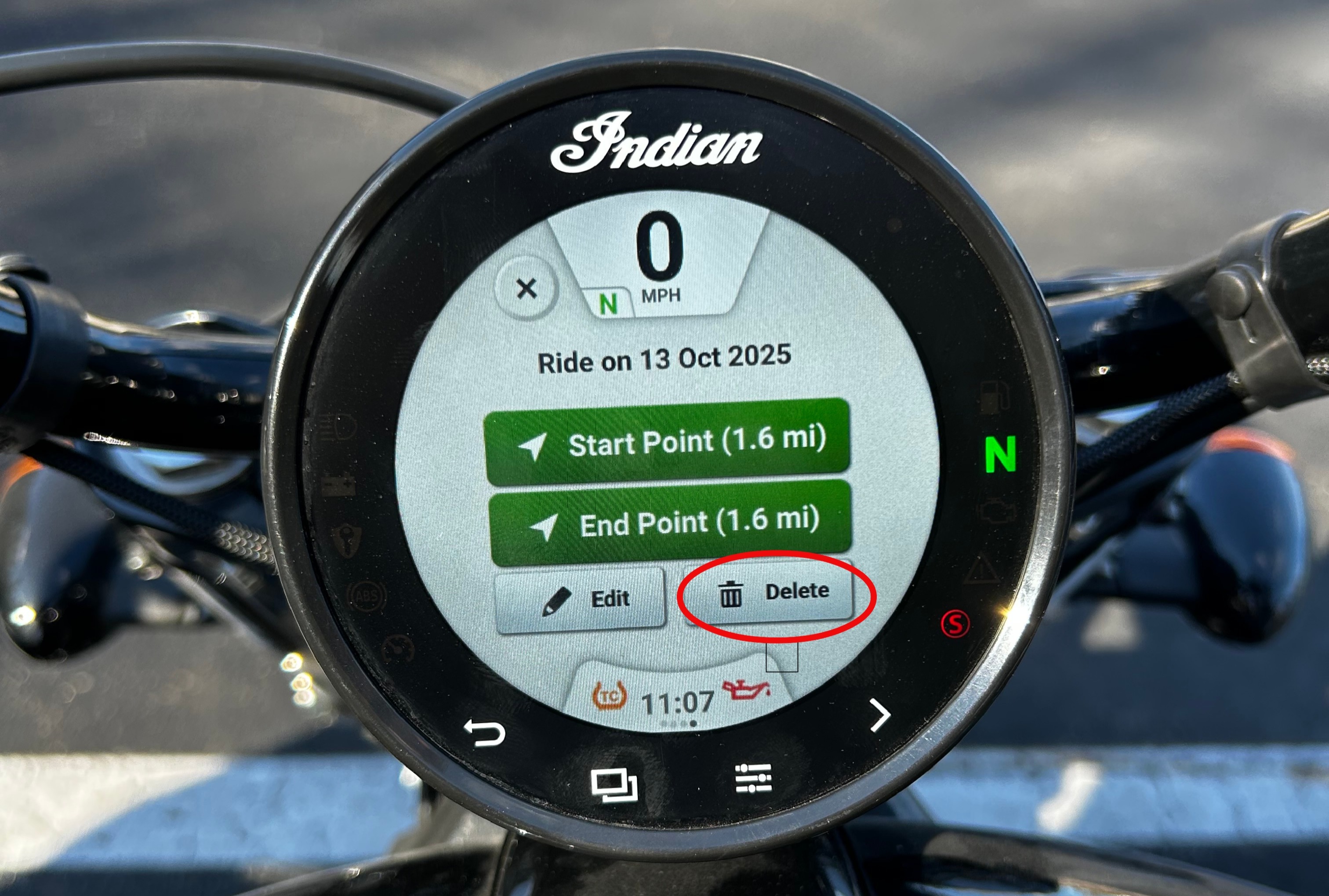
Tap the trash can icon in the lower right corner that says “Delete”.
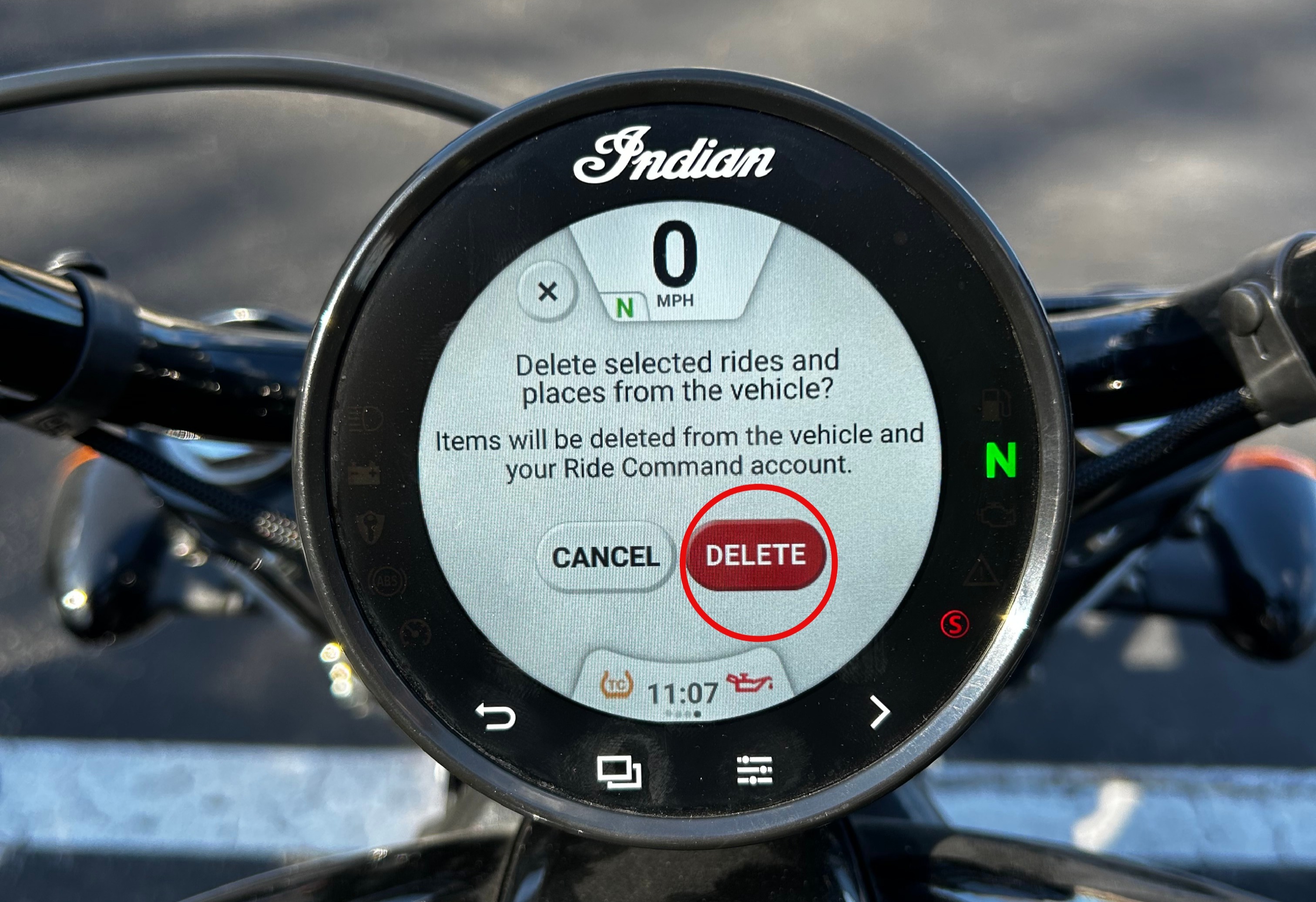
A confirmation screen will pop up. Tap “Delete” once more to confirm you want to delete the selected tracked ride. Note: Items will be deleted from the vehicle and your RIDE COMMAND account.
7” Display powered by RIDE COMMAND
Note: Photos taken on a 2022 Indian Pursuit.
Navigate to the map screen on your motorcycle’s display and tap the menu button on the bottom of the screen.
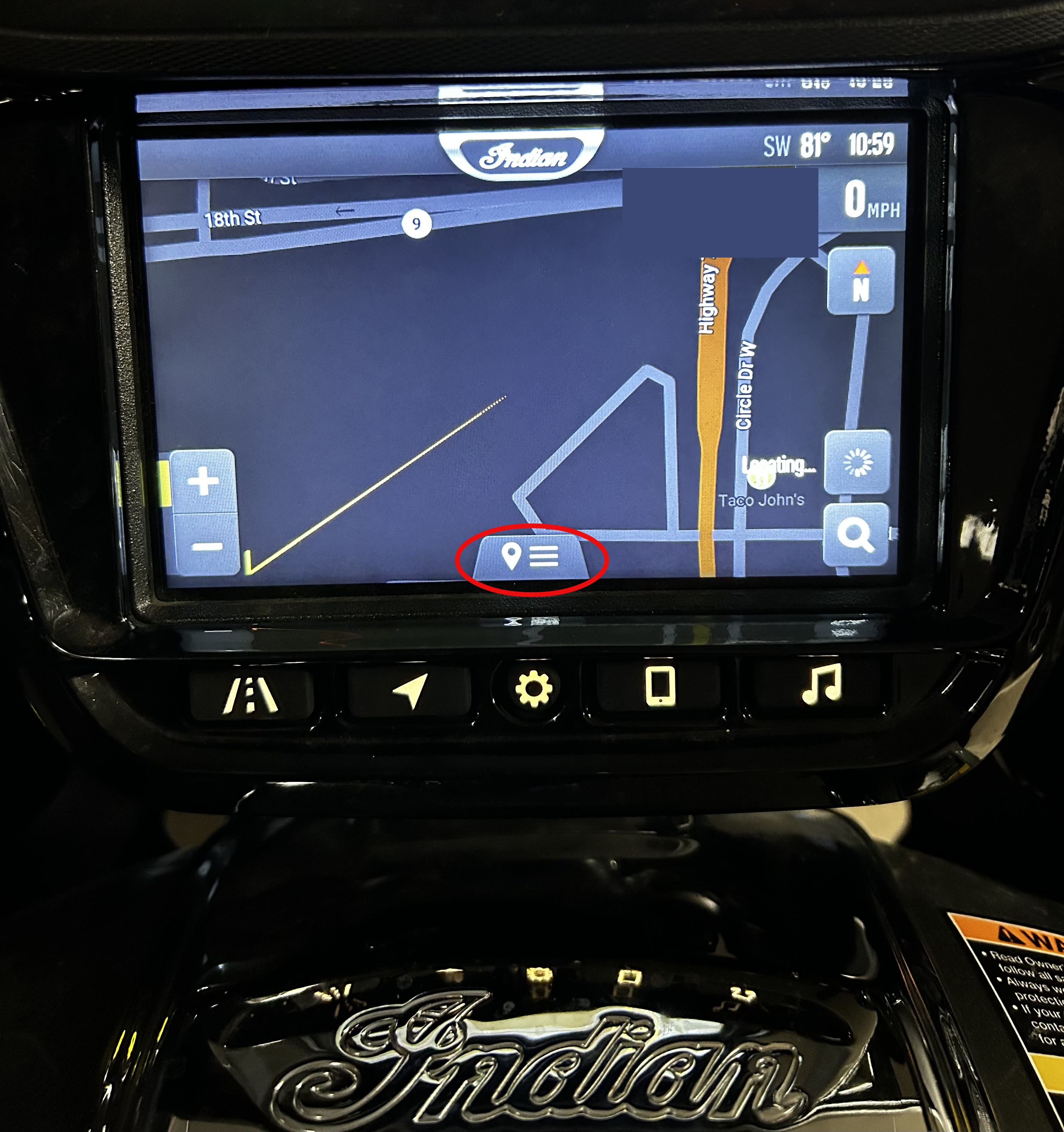
This will pull up the menu options. Tap "Rides & Places" on the left.
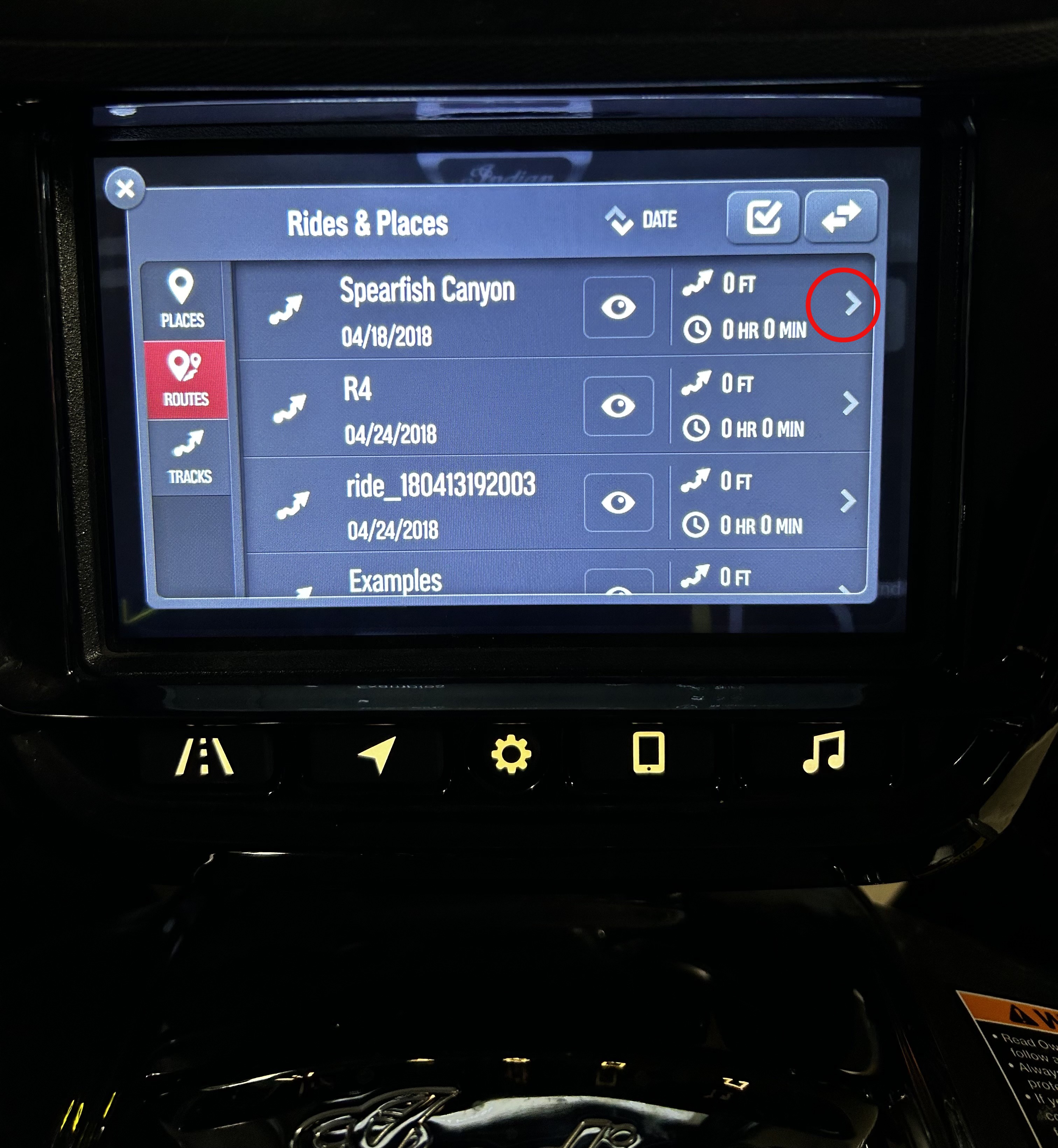
A list of your saved Rides & Places will populate. Tap the arrow > on the right side of the tracked ride you wish to delete.
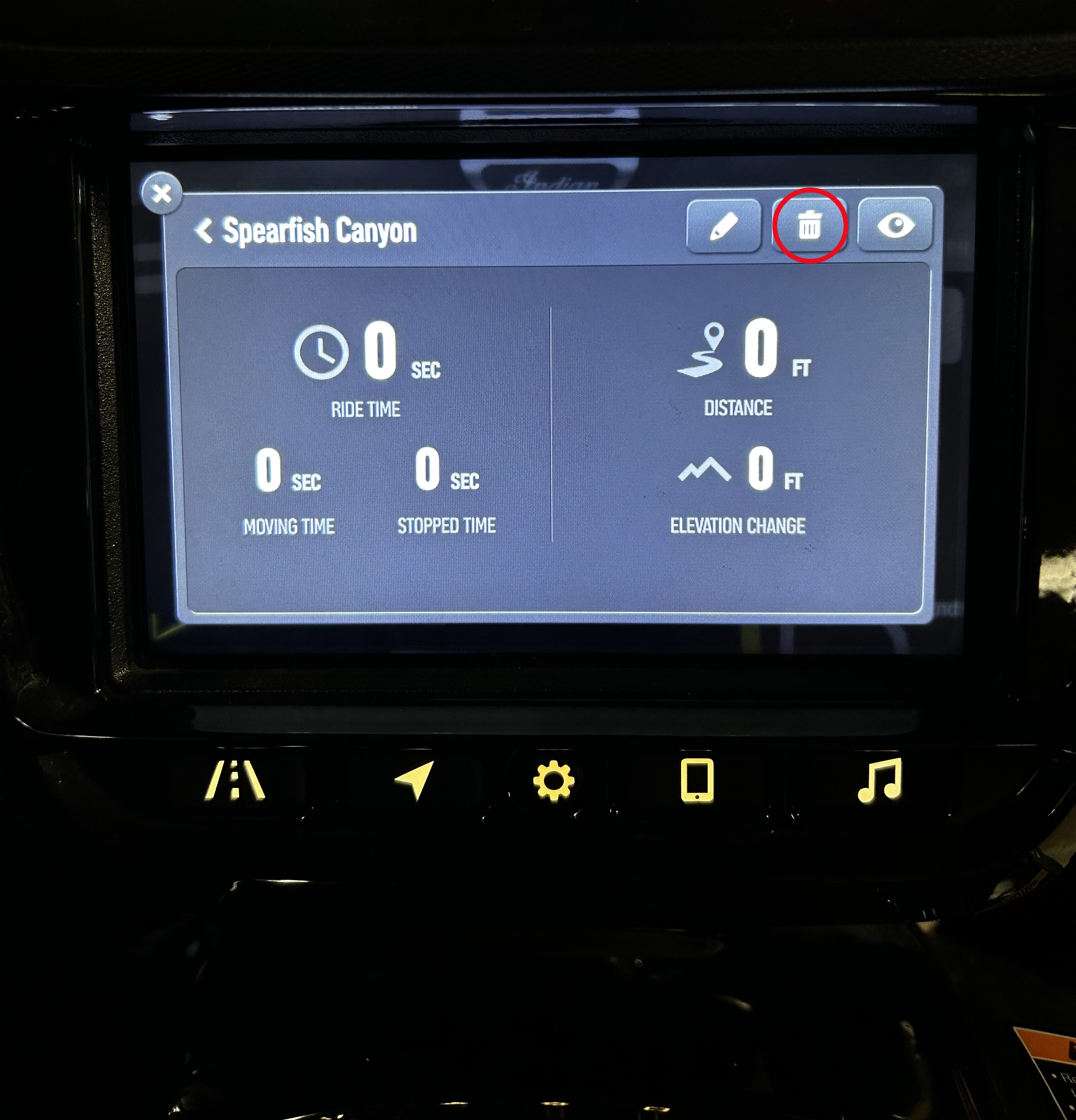
The details of the specified tracked ride will appear. Tap the trash can icon in the upper right corner.
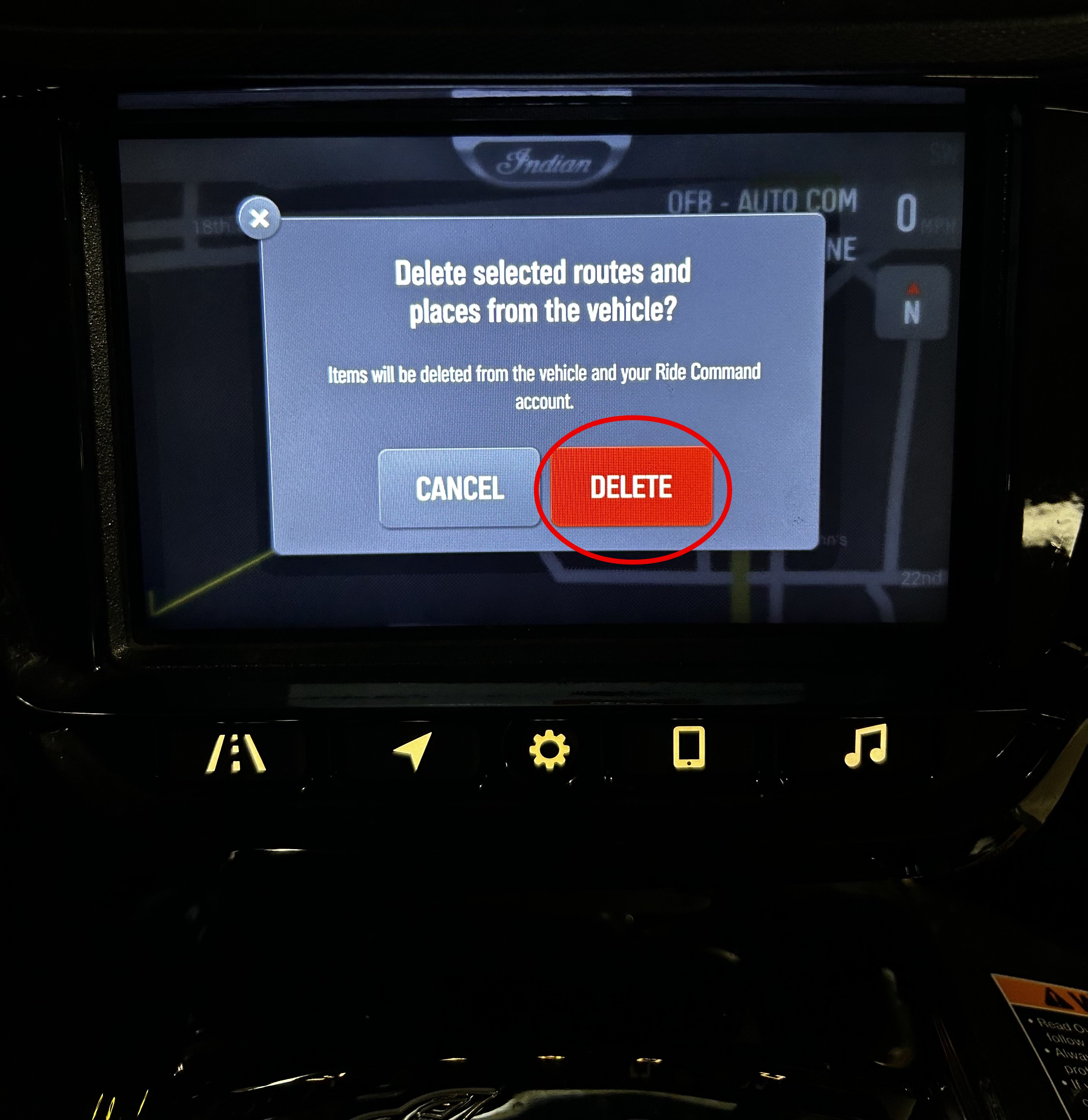
A confirmation screen will appear. Tap “Delete” to confirm you want to delete the specified tracked ride. Note: Items will be deleted from the vehicle and your RIDE COMMAND account.
The Indian Motorcycle App is available on the App Store® and Google Play®.
More information about RIDE COMMAND can be found in the Owner's Manual for your vehicle.
Visit the RIDE COMMAND website to create an account and update software/maps.
Not sure what you need? Check out the Guide to Indian Motorcycle Displays Powered by RIDE COMMAND.
Google Play® is a registered trademark of Google LLC
App Store® is a registered trademark of Apple Inc.
Unless noted, trademarks are the property of Indian Motorcycle International, LLC.
© 2025 Indian Motorcycle International, LLC


